After upgrading to 2.3.5, a static page I had used as frontpage is not shown (as frontpage) anymore, but the (empty) list of articles instead.
I updated all plugins, and toggled the "Make this page the frontpage of Serendipity" marker on the static page off and on, but no success.
Site: https://reformierte-freikirche.de/
intended Frontpage: https://reformierte-freikirche.de/index ... seite.html
When I encountered it, I guessed it must be a common problem, but I could not find a forum entry for that (searched "frontpage").
Any ideas, please?
Static Frontpage does not work after upgrade -- SOLVED
-
kybernator
- Regular
- Posts: 135
- Joined: Sat Sep 22, 2012 10:15 pm
Static Frontpage does not work after upgrade -- SOLVED
Last edited by kybernator on Thu Oct 13, 2022 3:45 pm, edited 1 time in total.
Re: Static Frontpage does not work after upgrade
Does it work now, or is the changing image the marker that it is still broken?
-
kybernator
- Regular
- Posts: 135
- Joined: Sat Sep 22, 2012 10:15 pm
Re: Static Frontpage does not work after upgrade
Sorry, onli, I do not quite understand -- "changing image" as marker?
I only see "No entries to print", which I take as an attempt to show entries in the blog (there are none) instead of the desired static page.
If by "changing image" you mean the one on top of the sidebar, that is a plugin that takes a random pic from a specified directory each time the page is loaded. Works as expected.
I only see "No entries to print", which I take as an attempt to show entries in the blog (there are none) instead of the desired static page.
If by "changing image" you mean the one on top of the sidebar, that is a plugin that takes a random pic from a specified directory each time the page is loaded. Works as expected.
Re: Static Frontpage does not work after upgrade
This is what I see when visiting https://reformierte-freikirche.de/:
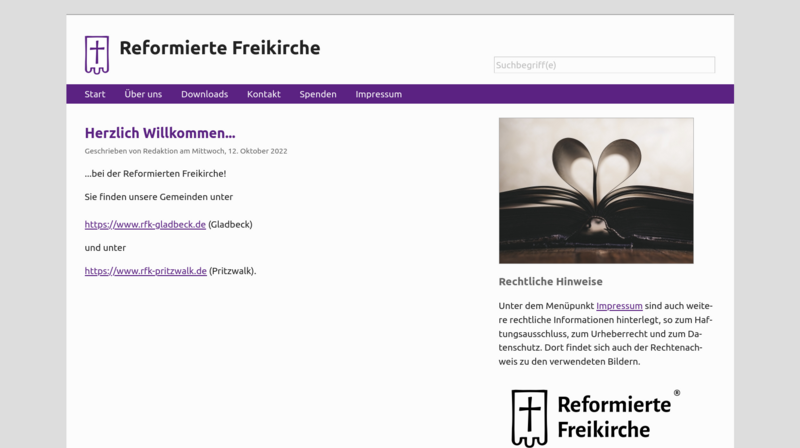
I indeed meant the image in the sidebar, as it changes when visiting the page I thought it might be a marker.
Maybe you are logged in and that breaks it?
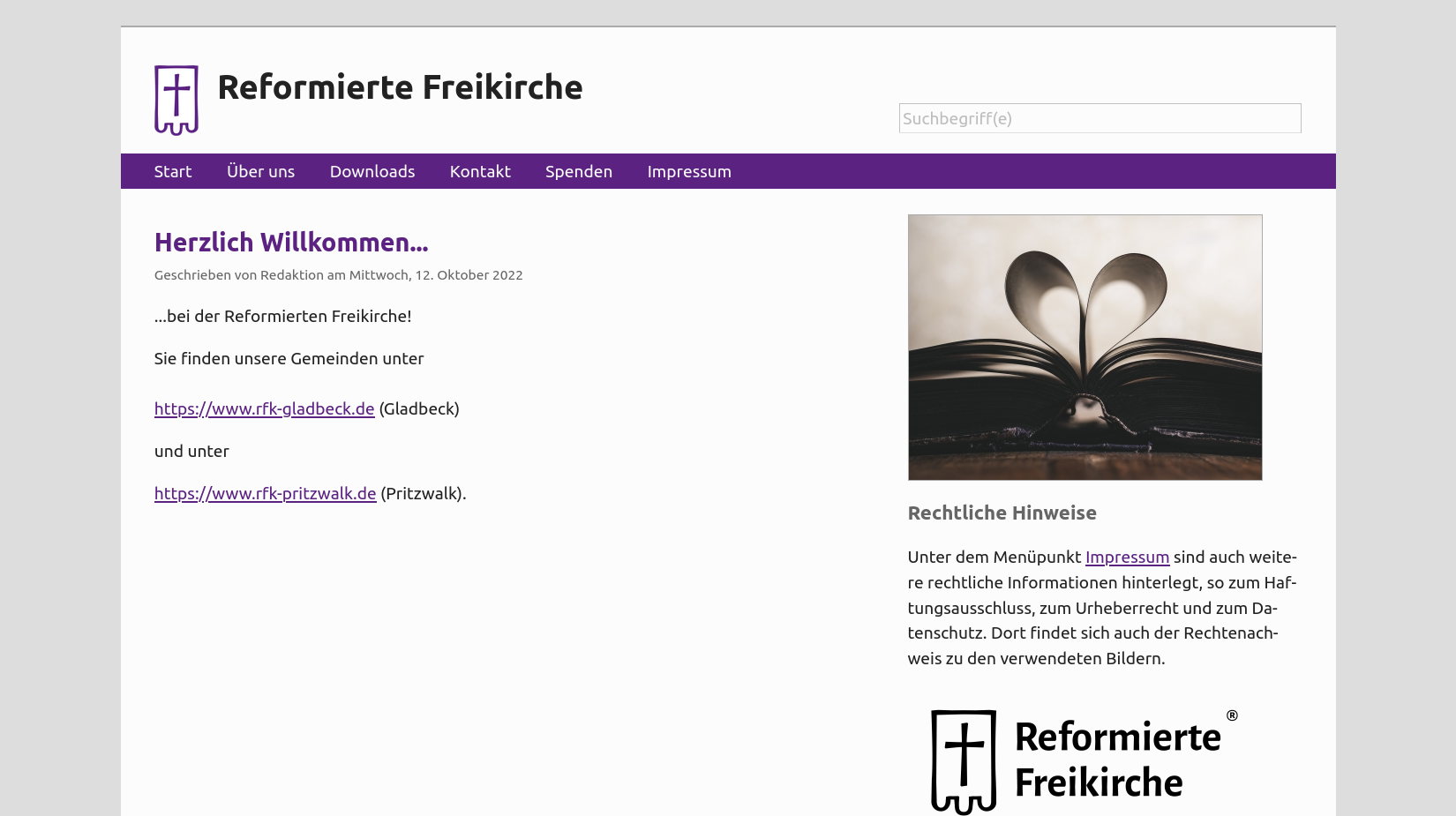
I indeed meant the image in the sidebar, as it changes when visiting the page I thought it might be a marker.
Maybe you are logged in and that breaks it?
-
kybernator
- Regular
- Posts: 135
- Joined: Sat Sep 22, 2012 10:15 pm
Re: Static Frontpage does not work after upgrade
All is well.
After onli posted what he saw, I used another browser (wasn't logged in in the previous one, though).
What I see now is the same as he sees, so it must be some unpleasantness with browser caching, more likely than not.
Sorry for raising the alarm
After onli posted what he saw, I used another browser (wasn't logged in in the previous one, though).
What I see now is the same as he sees, so it must be some unpleasantness with browser caching, more likely than not.
Sorry for raising the alarm
Re: Static Frontpage does not work after upgrade -- SOLVED
I'm relieved it worked :) Working on the static page plugin is annoying, so it's better this way.
Re: Static Frontpage does not work after upgrade -- SOLVED
I am sorry but I have a similar problem.
After i installed s9y and configured the Static Pages (see there), I set the right SP s Frontpage in the SP settings.
After I have adjusted some user.css settings (which shouldn't affect that at all), suddenly the Frontpage disappears and I get the blog entry list.
I checked the database and for some reason, two pages had been marked as Frontpages (1). I reset one of them to zero so that only the right page is set to 1. Yet, no changes:
http://kunz-artenschutz.de/
It should lead to:
http://kunz-artenschutz.de/index.php?/vita.html
After i installed s9y and configured the Static Pages (see there), I set the right SP s Frontpage in the SP settings.
After I have adjusted some user.css settings (which shouldn't affect that at all), suddenly the Frontpage disappears and I get the blog entry list.
I checked the database and for some reason, two pages had been marked as Frontpages (1). I reset one of them to zero so that only the right page is set to 1. Yet, no changes:
http://kunz-artenschutz.de/
It should lead to:
http://kunz-artenschutz.de/index.php?/vita.html
Post-apocalyptic Jugger sports: What is Jugger? Video I Free ebook on the sport
Re: Static Frontpage does not work after upgrade -- SOLVED
Two pages marked as frontpage, that's something I can check for. I will have a look at the code and try to debug this.
Re: Static Frontpage does not work after upgrade -- SOLVED
I can confirm that something is off there. I marked two pages as frontpage, and indeed both stayed on that setting - which is already strange. And then when disabling the frontpage status of the first static page, that one stayed the frontpage - disabling both worked, the blog showed the entries again, but then re-enabling frontpage status of the second page still leads to the first static page being shown.
Probably a broken SQL query. I'll have a look at the code next.
Probably a broken SQL query. I'll have a look at the code next.
Re: Static Frontpage does not work after upgrade -- SOLVED
Please give the new version 4.15.12 a try. It changes how the static page is picked, using the internal id instead of the pagetitle. That might help, it helped in my test environment at least. https://github.com/s9y/additional_plugi ... d78d337bc8 is the commit, should be in Spartacus tomorrow.
Re: Static Frontpage does not work after upgrade – NOT SOLVED
Thank you! Sorry, the bell didn't notify me about your answer.
Staticpage version is currently 4.15.12, which is the same as in the patch. Yet no changes. Staticpage plugin is second in the list, right after Spamblock Bee.
In the database, only the correct Static Page is set to frontpage=1.
Staticpage version is currently 4.15.12, which is the same as in the patch. Yet no changes. Staticpage plugin is second in the list, right after Spamblock Bee.
In the database, only the correct Static Page is set to frontpage=1.
Post-apocalyptic Jugger sports: What is Jugger? Video I Free ebook on the sport
Re: Static Frontpage does not work after upgrade -- Unsolved
Can I help with any logs to trace it down?
Post-apocalyptic Jugger sports: What is Jugger? Video I Free ebook on the sport
Re: Static Frontpage does not work after upgrade -- SOLVED
I don't expect there to be logs sadly :/ I'll give it another try to reproduce. The internal cache (in the blog's Configuration) is on or off?
Re: Static Frontpage does not work after upgrade -- SOLVED
Hi,
thanks for your answer. I emptied the cache. No changes
thanks for your answer. I emptied the cache. No changes
Post-apocalyptic Jugger sports: What is Jugger? Video I Free ebook on the sport
Re: Static Frontpage does not work after upgrade -- SOLVED
Hi,
okay, this is strange. I checked the Configuration file for the cache option, whether it indeed has been disabled (which it was). I then did nothing more than change the blog's language. And bam, it's working as intended now, front page is correctly assigned.
So my best guess is that there was some strange cache issue on the server (yes, I deleted the internal blog cache before, both in the backend and manually via FTP).
So, thanks for your time ... strange things happen.
----
I only have two issues left, but they are pretty minor compared to this, one that there are no usergroups display in the Notes plug-in and two that password auto-fill tends to auto-fill in the incorrect password [1] in the blog's Configuration / Database settings dialogue, at opening the Settings tab. But on that in different threads ...
[1] Opera's auto-fill password function treats the user login password as the database password and changes it automatically.
okay, this is strange. I checked the Configuration file for the cache option, whether it indeed has been disabled (which it was). I then did nothing more than change the blog's language. And bam, it's working as intended now, front page is correctly assigned.
So my best guess is that there was some strange cache issue on the server (yes, I deleted the internal blog cache before, both in the backend and manually via FTP).
So, thanks for your time ... strange things happen.
----
I only have two issues left, but they are pretty minor compared to this, one that there are no usergroups display in the Notes plug-in and two that password auto-fill tends to auto-fill in the incorrect password [1] in the blog's Configuration / Database settings dialogue, at opening the Settings tab. But on that in different threads ...
[1] Opera's auto-fill password function treats the user login password as the database password and changes it automatically.
Post-apocalyptic Jugger sports: What is Jugger? Video I Free ebook on the sport